Functions and apps: Ready-made for language learning.
By R. Godwin-Jones.
Smartphones and tablets have a variety of built-in functions that support communication and multimedia use. They offer an efficient way for students to work with language, whether written or spoken. Because they are networked, they support peer collaboration and offer the opportunity to virtually bring into class individuals from outside the classroom, including more proficient speakers. Some of the built-in
capabilities that support text and media use include:
• note taking;
• photo capture and editing;
• audio and video playback, recording and editing;
• email;
• text messaging;
• web browsing.
In addition to the default functions and applications present in phones and tablets today, they also offer access to a large variety of third-party apps, which in fact is a major reason for smartphone popularity. Apps were available before the iPhone arrived in 2007, but were of minor importance and not widely used. Today, the Apple App Store (for iOS devices) and Google Play (for Android devices) offer countless apps that can be easily added to phones to enhance their functionality. In contrast to traditional computer software, apps tend to be inexpensive, installed easily, and feature intuitive interfaces requiring minimal instructions for use. Many apps today offer the ability to store or sync data from the phone or tablet with an online server, often called cloud services. This enables sharing of created artefacts and thus collaborative opportunities.
The kinds of apps students are likely to have already on their devices, or that can be installed for free, include the following:
• mobile versions of social media, such as Facebook and Twitter;
• video-conferencing services like Skype or Google Hangouts;
• messaging and multimodal texting apps including Snapchat and Instagram;
• personal journaling apps like Penzu or Journey;
• video-streaming players such as YouTube or VLC media player.
None of these were developed for language learning, but all clearly have potential for language practice and socially oriented learning. Apps already used by students offer the advantage of familiarity and integration of life and learning.
Even apps and online services that were not developed for use by learners can be helpful for both language and culture learning in a variety of ways. That might include
topics such as transportation (in-class groups using an online train timetable to plan a trip), entertainment (discussing movie or music reviews), shopping (furnishing an apartment), or dining (choosing a restaurant based on online menus). Such activities are well adapted to small group work, with the added opportunity of sharing created artefacts online.
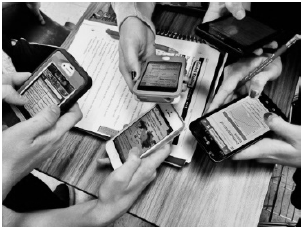
Source: https://forum.easyuni.my/t/do-smartphones-have-any-place-in-the-high-schoolclassroom/ 2152
In addition to general-purpose apps, there are many designed specifically for language and culture learning (see the recommended resources at the end of this paper). Many such apps are in the category of phrase books, vocabulary flash cards, tourist guides, or grammar tutorials (Chinnery, 2006). Pronunciation apps are also common, such as Sounds Right (British Council) or Sounds: The Pronunciation App (Macmillan); see Kaiser, 2016 for reviews of pronunciation apps. These kinds of apps are designed to be used by individual users, but some could be adapted to collaborative use in the classroom. Tuttle (2013) suggests having students in pairs
extract phrases from a phrase book app and then use them to create a dialogue, or as the basis of an in-class skit. Other kinds of single-purpose apps could be used in a similar fashion.
Full-featured language-learning apps are available as well, including mobile versions of services such as Duolingo or Babbel. Teachers might have students, individually or in small groups, assigned to download, try out, and then report in class on the experience of using such services. This could also be done with other language related apps such as games, ranging from very simple concentration style to much more sophisticate. The latter include innovative place-based games using artificial intelligence or augmented reality (see Godwin-Jones, 2014, 2016). Some games (as well as some flash card and polling apps) can be set up as competitions that can be played in class with individual students or with groups.
Apps already used by students offer the advantage of familiarity and integration of life and learning.
One of the cautions in the use of third-party apps in the classroom is compatibility. While the most popular apps are normally available for both iOS and Android, this is not necessarily the case for all. Another consideration is cost: many apps are free, but some are not. Increasingly, apps are released as ‘freemium’, meaning that some features or functions are free, but others must be purchased. If students are using their own devices, one might assign installation of the app before the start of class, so that class time is not taken up with getting started.
GODWIN-JONES, R. (2018). Using mobile devices in the language classroom: Part of the Cambridge Papers in ELT series. [pdf] Cambridge: Cambridge University Press
In the sentence, “Increasingly, apps are released as ‘freemium’, meaning that some features or functions are free, but others must be purchased. [...]” the word Increasingly (paragraph, 11, line 4) can be considered: