Foram encontradas 397 questões.
Ten Tips for Microsoft Word and Excel
Our latest tips tell you how to make Microsoft Office 2010's word
processor and spreadsheet apps perform some handy tricks that
Microsoft has documented poorly.
By Edward Mendelson
PCMag.com's Microsoft Office 2010 tips collection
continues, this time with ten tips for Word and Excel users. Most
of these tips are fairly straightforward, and most apply to the
most recent versions of Office. Some of them, however, offer
new twists for the latest version of Office. Expert users will be
familiar with some of these ten tips, but we hope that any user
will find at least a few of these to be useful.
What kind of tips am I talking about this time? Finding
ways to perform poorly documented functions in Word and
Excel. One of these tips, for example, tells you what to do when
Word inserts a horizontal line across the page when you only
wanted to type a few dashes. In the past few months, everyone
in my family has tried and failed to wrestle an unwanted
horizontal line out of a Word document. It might not sound like a
big issue, but once you've got it in your document, good luck
finding help from Microsoft on how to get rid of it.
Some software vendors, like Adobe, continue to provide
help systems that work like improved versions of traditional
software manuals. In those apps, every menu item, every
toolbar icon, is carefully explained, and with a little patience you
can find all the information you need. Microsoft, provides
you with a kind of information supermarket, with huge essays
about topics you don't care about, dozens of selections when
you only need one, and no consistent way to find the information
you want.
Combine Portrait and Landscape Pages in a Word Document
Microsoft Word expects you to organize your documents
in a highly-structured but not very intuitive way. If you want to
format most of a document in portrait mode, but one or two
pages in landscape, you simply change the orientation
of the current page. Instead you need to insert a section break
before and after the text you want to format in landscape mode,
and then apply landscape orientation to the section that you
created. Place the insertion point at the point where you want
landscape orientation to begin. On the Page Layout tab, choose
Breaks, then, under Section Breaks, choose New Page. Then
move the insertion point to the end of the text you want to format
in landscape, and insert the same kind of break. Then put the
insertion point anywhere between the two breaks; return to the
Page Layout tab, and click the down-pointing arrow at the lower
right of the Page Setup group. In the Page Setup dialog, on the
Margins tab, select Landscape orientation, then go to the "Apply
to" dropdown and select This Section.
(Adapted from http://www.pcmag.com/article2/0,2817,
2379207,00.asp#)
As dicas a que se refere o autor são formas de Our latest tips tell you how to make Microsoft Office 2010's word
processor and spreadsheet apps perform some handy tricks that
Microsoft has documented poorly.
By Edward Mendelson
PCMag.com's Microsoft Office 2010 tips collection
continues, this time with ten tips for Word and Excel users. Most
of these tips are fairly straightforward, and most apply to the
most recent versions of Office. Some of them, however, offer
new twists for the latest version of Office. Expert users will be
familiar with some of these ten tips, but we hope that any user
will find at least a few of these to be useful.
What kind of tips am I talking about this time? Finding
ways to perform poorly documented functions in Word and
Excel. One of these tips, for example, tells you what to do when
Word inserts a horizontal line across the page when you only
wanted to type a few dashes. In the past few months, everyone
in my family has tried and failed to wrestle an unwanted
horizontal line out of a Word document. It might not sound like a
big issue, but once you've got it in your document, good luck
finding help from Microsoft on how to get rid of it.
Some software vendors, like Adobe, continue to provide
help systems that work like improved versions of traditional
software manuals. In those apps, every menu item, every
toolbar icon, is carefully explained, and with a little patience you
can find all the information you need. Microsoft,
provides you with a kind of information supermarket, with huge essays
about topics you don't care about, dozens of selections when
you only need one, and no consistent way to find the information
you want.
Combine Portrait and Landscape Pages in a Word Document
Microsoft Word expects you to organize your documents
in a highly-structured but not very intuitive way. If you want to
format most of a document in portrait mode, but one or two
pages in landscape, you
simply change the orientation of the current page. Instead you need to insert a section break
before and after the text you want to format in landscape mode,
and then apply landscape orientation to the section that you
created. Place the insertion point at the point where you want
landscape orientation to begin. On the Page Layout tab, choose
Breaks, then, under Section Breaks, choose New Page. Then
move the insertion point to the end of the text you want to format
in landscape, and insert the same kind of break. Then put the
insertion point anywhere between the two breaks; return to the
Page Layout tab, and click the down-pointing arrow at the lower
right of the Page Setup group. In the Page Setup dialog, on the
Margins tab, select Landscape orientation, then go to the "Apply
to" dropdown and select This Section.
(Adapted from http://www.pcmag.com/article2/0,2817,
2379207,00.asp#)
Provas
Questão presente nas seguintes provas

Ten Tips for Microsoft Word and Excel
Our latest tips tell you how to make Microsoft Office 2010's word
processor and spreadsheet apps perform some handy tricks that
Microsoft has documented poorly.
By Edward Mendelson
PCMag.com's Microsoft Office 2010 tips collection
continues, this time with ten tips for Word and Excel users. Most
of these tips are fairly straightforward, and most apply to the
most recent versions of Office. Some of them, however, offer
new twists for the latest version of Office. Expert users will be
familiar with some of these ten tips, but we hope that any user
will find at least a few of these to be useful.
What kind of tips am I talking about this time? Finding
ways to perform poorly documented functions in Word and
Excel. One of these tips, for example, tells you what to do when
Word inserts a horizontal line across the page when you only
wanted to type a few dashes. In the past few months, everyone
in my family has tried and failed to wrestle an unwanted
horizontal line out of a Word document. It might not sound like a
big issue, but once you've got it in your document, good luck
finding help from Microsoft on how to get rid of it.
Some software vendors, like Adobe, continue to provide
help systems that work like improved versions of traditional
software manuals. In those apps, every menu item, every
toolbar icon, is carefully explained, and with a little patience you
can find all the information you need. Microsoft, provides
you with a kind of information supermarket, with huge essays
about topics you don't care about, dozens of selections when
you only need one, and no consistent way to find the information
you want.
Combine Portrait and Landscape Pages in a Word Document
Microsoft Word expects you to organize your documents
in a highly-structured but not very intuitive way. If you want to
format most of a document in portrait mode, but one or two
pages in landscape, yousimply change the orientation
of the current page. Instead you need to insert a section break
before and after the text you want to format in landscape mode,
and then apply landscape orientation to the section that you
created. Place the insertion point at the point where you want
landscape orientation to begin. On the Page Layout tab, choose
Breaks, then, under Section Breaks, choose New Page. Then
move the insertion point to the end of the text you want to format
in landscape, and insert the same kind of break. Then put the
insertion point anywhere between the two breaks; return to the
Page Layout tab, and click the down-pointing arrow at the lower
right of the Page Setup group. In the Page Setup dialog, on the
Margins tab, select Landscape orientation, then go to the "Apply
to" dropdown and select This Section.
(Adapted from http://www.pcmag.com/article2/0,2817,
2379207,00.asp#)
O verbo que preenche corretamente a lacuna [modal] é Our latest tips tell you how to make Microsoft Office 2010's word
processor and spreadsheet apps perform some handy tricks that
Microsoft has documented poorly.
By Edward Mendelson
PCMag.com's Microsoft Office 2010 tips collection
continues, this time with ten tips for Word and Excel users. Most
of these tips are fairly straightforward, and most apply to the
most recent versions of Office. Some of them, however, offer
new twists for the latest version of Office. Expert users will be
familiar with some of these ten tips, but we hope that any user
will find at least a few of these to be useful.
What kind of tips am I talking about this time? Finding
ways to perform poorly documented functions in Word and
Excel. One of these tips, for example, tells you what to do when
Word inserts a horizontal line across the page when you only
wanted to type a few dashes. In the past few months, everyone
in my family has tried and failed to wrestle an unwanted
horizontal line out of a Word document. It might not sound like a
big issue, but once you've got it in your document, good luck
finding help from Microsoft on how to get rid of it.
Some software vendors, like Adobe, continue to provide
help systems that work like improved versions of traditional
software manuals. In those apps, every menu item, every
toolbar icon, is carefully explained, and with a little patience you
can find all the information you need. Microsoft,
provides you with a kind of information supermarket, with huge essays
about topics you don't care about, dozens of selections when
you only need one, and no consistent way to find the information
you want.
Combine Portrait and Landscape Pages in a Word Document
Microsoft Word expects you to organize your documents
in a highly-structured but not very intuitive way. If you want to
format most of a document in portrait mode, but one or two
pages in landscape, you
simply change the orientation of the current page. Instead you need to insert a section break
before and after the text you want to format in landscape mode,
and then apply landscape orientation to the section that you
created. Place the insertion point at the point where you want
landscape orientation to begin. On the Page Layout tab, choose
Breaks, then, under Section Breaks, choose New Page. Then
move the insertion point to the end of the text you want to format
in landscape, and insert the same kind of break. Then put the
insertion point anywhere between the two breaks; return to the
Page Layout tab, and click the down-pointing arrow at the lower
right of the Page Setup group. In the Page Setup dialog, on the
Margins tab, select Landscape orientation, then go to the "Apply
to" dropdown and select This Section.
(Adapted from http://www.pcmag.com/article2/0,2817,
2379207,00.asp#)
Provas
Questão presente nas seguintes provas
Ten Tips for Microsoft Word and Excel
Our latest tips tell you how to make Microsoft Office 2010's word
processor and spreadsheet apps perform some handy tricks that
Microsoft has documented poorly.
By Edward Mendelson
PCMag.com's Microsoft Office 2010 tips collection
continues, this time with ten tips for Word and Excel users. Most
of these tips are fairly straightforward, and most apply to the
most recent versions of Office. Some of them, however, offer
new twists for the latest version of Office. Expert users will be
familiar with some of these ten tips, but we hope that any user
will find at least a few of these to be useful.
What kind of tips am I talking about this time? Finding
ways to perform poorly documented functions in Word and
Excel. One of these tips, for example, tells you what to do when
Word inserts a horizontal line across the page when you only
wanted to type a few dashes. In the past few months, everyone
in my family has tried and failed to wrestle an unwanted
horizontal line out of a Word document. It might not sound like a
big issue, but once you've got it in your document, good luck
finding help from Microsoft on how to get rid of it.
Some software vendors, like Adobe, continue to provide
help systems that work like improved versions of traditional
software manuals. In those apps, every menu item, every
toolbar icon, is carefully explained, and with a little patience you
can find all the information you need. Microsoft, provides
you with a kind of information supermarket, with huge essays
about topics you don't care about, dozens of selections when
you only need one, and no consistent way to find the information
you want.
Combine Portrait and Landscape Pages in a Word Document
Microsoft Word expects you to organize your documents
in a highly-structured but not very intuitive way. If you want to
format most of a document in portrait mode, but one or two
pages in landscape, yousimply change the orientation
of the current page. Instead you need to insert a section break
before and after the text you want to format in landscape mode,
and then apply landscape orientation to the section that you
created. Place the insertion point at the point where you want
landscape orientation to begin. On the Page Layout tab, choose
Breaks, then, under Section Breaks, choose New Page. Then
move the insertion point to the end of the text you want to format
in landscape, and insert the same kind of break. Then put the
insertion point anywhere between the two breaks; return to the
Page Layout tab, and click the down-pointing arrow at the lower
right of the Page Setup group. In the Page Setup dialog, on the
Margins tab, select Landscape orientation, then go to the "Apply
to" dropdown and select This Section.
(Adapted from http://www.pcmag.com/article2/0,2817,
2379207,00.asp#)
A expressão que preenche a lacuna Our latest tips tell you how to make Microsoft Office 2010's word
processor and spreadsheet apps perform some handy tricks that
Microsoft has documented poorly.
By Edward Mendelson
PCMag.com's Microsoft Office 2010 tips collection
continues, this time with ten tips for Word and Excel users. Most
of these tips are fairly straightforward, and most apply to the
most recent versions of Office. Some of them, however, offer
new twists for the latest version of Office. Expert users will be
familiar with some of these ten tips, but we hope that any user
will find at least a few of these to be useful.
What kind of tips am I talking about this time? Finding
ways to perform poorly documented functions in Word and
Excel. One of these tips, for example, tells you what to do when
Word inserts a horizontal line across the page when you only
wanted to type a few dashes. In the past few months, everyone
in my family has tried and failed to wrestle an unwanted
horizontal line out of a Word document. It might not sound like a
big issue, but once you've got it in your document, good luck
finding help from Microsoft on how to get rid of it.
Some software vendors, like Adobe, continue to provide
help systems that work like improved versions of traditional
software manuals. In those apps, every menu item, every
toolbar icon, is carefully explained, and with a little patience you
can find all the information you need. Microsoft,
provides you with a kind of information supermarket, with huge essays
about topics you don't care about, dozens of selections when
you only need one, and no consistent way to find the information
you want.
Combine Portrait and Landscape Pages in a Word Document
Microsoft Word expects you to organize your documents
in a highly-structured but not very intuitive way. If you want to
format most of a document in portrait mode, but one or two
pages in landscape, you
simply change the orientation of the current page. Instead you need to insert a section break
before and after the text you want to format in landscape mode,
and then apply landscape orientation to the section that you
created. Place the insertion point at the point where you want
landscape orientation to begin. On the Page Layout tab, choose
Breaks, then, under Section Breaks, choose New Page. Then
move the insertion point to the end of the text you want to format
in landscape, and insert the same kind of break. Then put the
insertion point anywhere between the two breaks; return to the
Page Layout tab, and click the down-pointing arrow at the lower
right of the Page Setup group. In the Page Setup dialog, on the
Margins tab, select Landscape orientation, then go to the "Apply
to" dropdown and select This Section.
(Adapted from http://www.pcmag.com/article2/0,2817,
2379207,00.asp#)
 corretamente é
 Provas
Questão presente nas seguintes provas
Ao receber um pagamento, Samuel contou: x moedas de 50 centavos, y moedas de 25 centavos, z moedas de 10 centavos e t moedas de 5 centavos. Logo depois, ele percebeu que havia se enganado, pois contara 8 das moedas de 10 centavos como moedas de 5 centavos e 8 das moedas de 25 centavos como de 50 centavos. Assim sendo, a diferença entre a quantia que Samuel contou de forma errada e a quantia correta é de
Provas
Questão presente nas seguintes provas
Ao serem contabilizados os dias de certo mês, em que três Técnicos Judiciários de uma Unidade do Tribunal Regional do Trabalho prestaram atendimento ao público, constatou-se o seguinte:
– a razão entre os números de pessoas atendidas por Jasão e Moisés, nesta ordem, era
– o número de pessoas atendidas por Tadeu era 120% do número das atendidas por Jasão;
– o total de pessoas atendidas pelos três era 348.
Nessas condições, é correto afirmar que, nesse mês
– a razão entre os números de pessoas atendidas por Jasão e Moisés, nesta ordem, era
– o número de pessoas atendidas por Tadeu era 120% do número das atendidas por Jasão;
– o total de pessoas atendidas pelos três era 348.
Nessas condições, é correto afirmar que, nesse mês
Provas
Questão presente nas seguintes provas
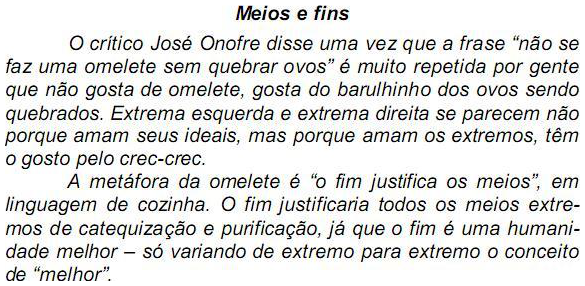
Meios e fins
O crítico José Onofre disse uma vez que a frase “não se
faz uma omelete sem quebrar ovos” é muito repetida por gente
que não gosta de omelete, gosta do barulhinho dos ovos sendo
quebrados. Extrema esquerda e extrema direita se parecem não
porque amam seus ideais, mas porque amam os extremos, têm
o gosto pelo crec-crec.
A metáfora da omelete é “o fim justifica os meios”, em
linguagem de cozinha. O fim justificaria todos os meios extre-
mos de catequização e purificação, já que o fim é uma humani-
dade melhor – só variando de extremo para extremo o conceito
de “melhor”.
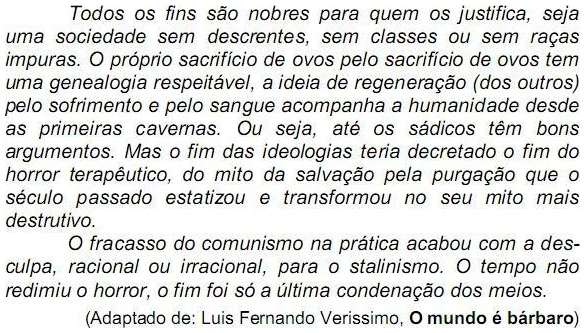
Todos os fins são nobres para quem os justifica, seja
uma sociedade sem descrentes, sem classes ou sem raças
impuras. O próprio sacrifício de ovos pelo sacrifício de ovos tem
uma genealogia respeitável, a ideia de regeneração (dos outros)
pelo sofrimento e pelo sangue acompanha a humanidade desde
as primeiras cavernas. Ou seja, até os sádicos têm bons
argumentos. Mas o fim das ideologias teria decretado o fim do
horror terapêutico, do mito da salvação pela purgação que o
século passado estatizou e transformou no seu mito mais
destrutivo.
O fracasso do comunismo na prática acabou com a des-
culpa, racional ou irracional, para o stalinismo. O tempo não
redimiu o horror, o fim foi só a última condenação dos meios.
(Adaptado de: Luis Fernando Verissimo, O mundo é bárbaro)
Está adequada a correlação entre tempos e modos verbais na frase:O crítico José Onofre disse uma vez que a frase “não se
faz uma omelete sem quebrar ovos” é muito repetida por gente
que não gosta de omelete, gosta do barulhinho dos ovos sendo
quebrados. Extrema esquerda e extrema direita se parecem não
porque amam seus ideais, mas porque amam os extremos, têm
o gosto pelo crec-crec.
A metáfora da omelete é “o fim justifica os meios”, em
linguagem de cozinha. O fim justificaria todos os meios extre-
mos de catequização e purificação, já que o fim é uma humani-
dade melhor – só variando de extremo para extremo o conceito
de “melhor”.
Todos os fins são nobres para quem os justifica, seja
uma sociedade sem descrentes, sem classes ou sem raças
impuras. O próprio sacrifício de ovos pelo sacrifício de ovos tem
uma genealogia respeitável, a ideia de regeneração (dos outros)
pelo sofrimento e pelo sangue acompanha a humanidade desde
as primeiras cavernas. Ou seja, até os sádicos têm bons
argumentos. Mas o fim das ideologias teria decretado o fim do
horror terapêutico, do mito da salvação pela purgação que o
século passado estatizou e transformou no seu mito mais
destrutivo.
O fracasso do comunismo na prática acabou com a des-
culpa, racional ou irracional, para o stalinismo. O tempo não
redimiu o horror, o fim foi só a última condenação dos meios.
(Adaptado de: Luis Fernando Verissimo, O mundo é bárbaro)
Provas
Questão presente nas seguintes provas
Provas
Questão presente nas seguintes provas
Provas
Questão presente nas seguintes provas
Provas
Questão presente nas seguintes provas
Meios e fins
O crítico José Onofre disse uma vez que a frase “não se
faz uma omelete sem quebrar ovos” é muito repetida por gente
que não gosta de omelete, gosta do barulhinho dos ovos sendo
quebrados. Extrema esquerda e extrema direita se parecem não
porque amam seus ideais, mas porque amam os extremos, têm
o gosto pelo crec-crec.
A metáfora da omelete é “o fim justifica os meios”, em
linguagem de cozinha. O fim justificaria todos os meios extre-
mos de catequização e purificação, já que o fim é uma humani-
dade melhor – só variando de extremo para extremo o conceito
de “melhor”.
Todos os fins são nobres para quem os justifica, seja
uma sociedade sem descrentes, sem classes ou sem raças
impuras. O próprio sacrifício de ovos pelo sacrifício de ovos tem
uma genealogia respeitável, a ideia de regeneração (dos outros)
pelo sofrimento e pelo sangue acompanha a humanidade desde
as primeiras cavernas. Ou seja, até os sádicos têm bons
argumentos. Mas o fim das ideologias teria decretado o fim do
horror terapêutico, do mito da salvação pela purgação que o
século passado estatizou e transformou no seu mito mais
destrutivo.
O fracasso do comunismo na prática acabou com a des-
culpa, racional ou irracional, para o stalinismo. O tempo não
redimiu o horror, o fim foi só a última condenação dos meios.
(Adaptado de: Luis Fernando Verissimo, O mundo é bárbaro)
A exclusão das vírgulas NÃO alterará o sentido da seguinte frase: O crítico José Onofre disse uma vez que a frase “não se
faz uma omelete sem quebrar ovos” é muito repetida por gente
que não gosta de omelete, gosta do barulhinho dos ovos sendo
quebrados. Extrema esquerda e extrema direita se parecem não
porque amam seus ideais, mas porque amam os extremos, têm
o gosto pelo crec-crec.
A metáfora da omelete é “o fim justifica os meios”, em
linguagem de cozinha. O fim justificaria todos os meios extre-
mos de catequização e purificação, já que o fim é uma humani-
dade melhor – só variando de extremo para extremo o conceito
de “melhor”.
Todos os fins são nobres para quem os justifica, seja
uma sociedade sem descrentes, sem classes ou sem raças
impuras. O próprio sacrifício de ovos pelo sacrifício de ovos tem
uma genealogia respeitável, a ideia de regeneração (dos outros)
pelo sofrimento e pelo sangue acompanha a humanidade desde
as primeiras cavernas. Ou seja, até os sádicos têm bons
argumentos. Mas o fim das ideologias teria decretado o fim do
horror terapêutico, do mito da salvação pela purgação que o
século passado estatizou e transformou no seu mito mais
destrutivo.
O fracasso do comunismo na prática acabou com a des-
culpa, racional ou irracional, para o stalinismo. O tempo não
redimiu o horror, o fim foi só a última condenação dos meios.
(Adaptado de: Luis Fernando Verissimo, O mundo é bárbaro)
Provas
Questão presente nas seguintes provas
Cadernos
Caderno Container